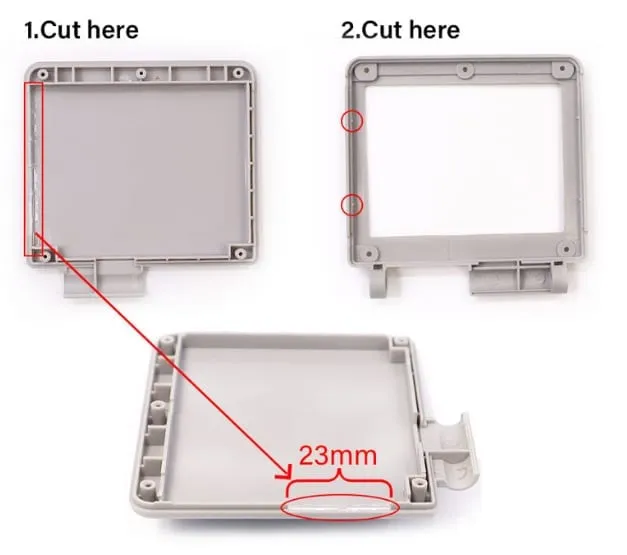
[GBASP] Trimming the Shell for IPS
Matching installation guides: [GBASP] V2 IPS LCD by Hispeedido and [GBASP] V5 IPS Kit by Hispeedido. To open the shell, see [GBASP] Shell Disassembly.
Trimming an IPS-ready shell
Section titled “Trimming an IPS-ready shell”This guide shows you how to trim your IPS-ready shell to fit the Game Boy Advance SP IPS Backlight LCD Kit V2 (regular and TV out version) by Hispeedido.
The trim is necessary to fit your LCD and PCB in the top shell housing. IPS-ready shells are pre-cut for IPS kits, but they were designed for thin FPC cables rather than thicker, stiff PCBs. The black PCB included with the V2 and V3 kits has extra material around the FPC cables that keeps the top shell from closing completely. Use the photos in this guide to trim your top shell so the LCD and PCB sit properly and safely in the shell.
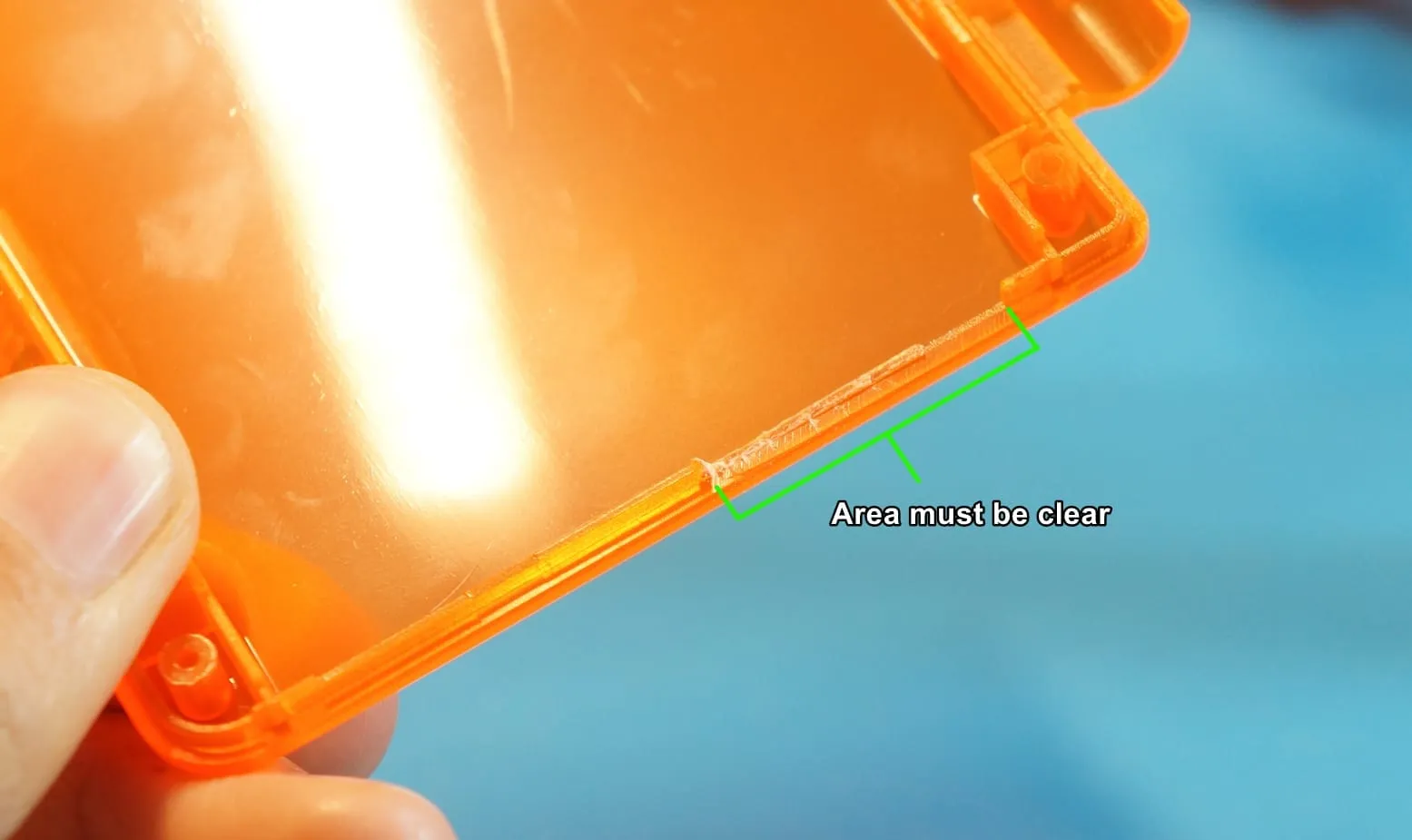
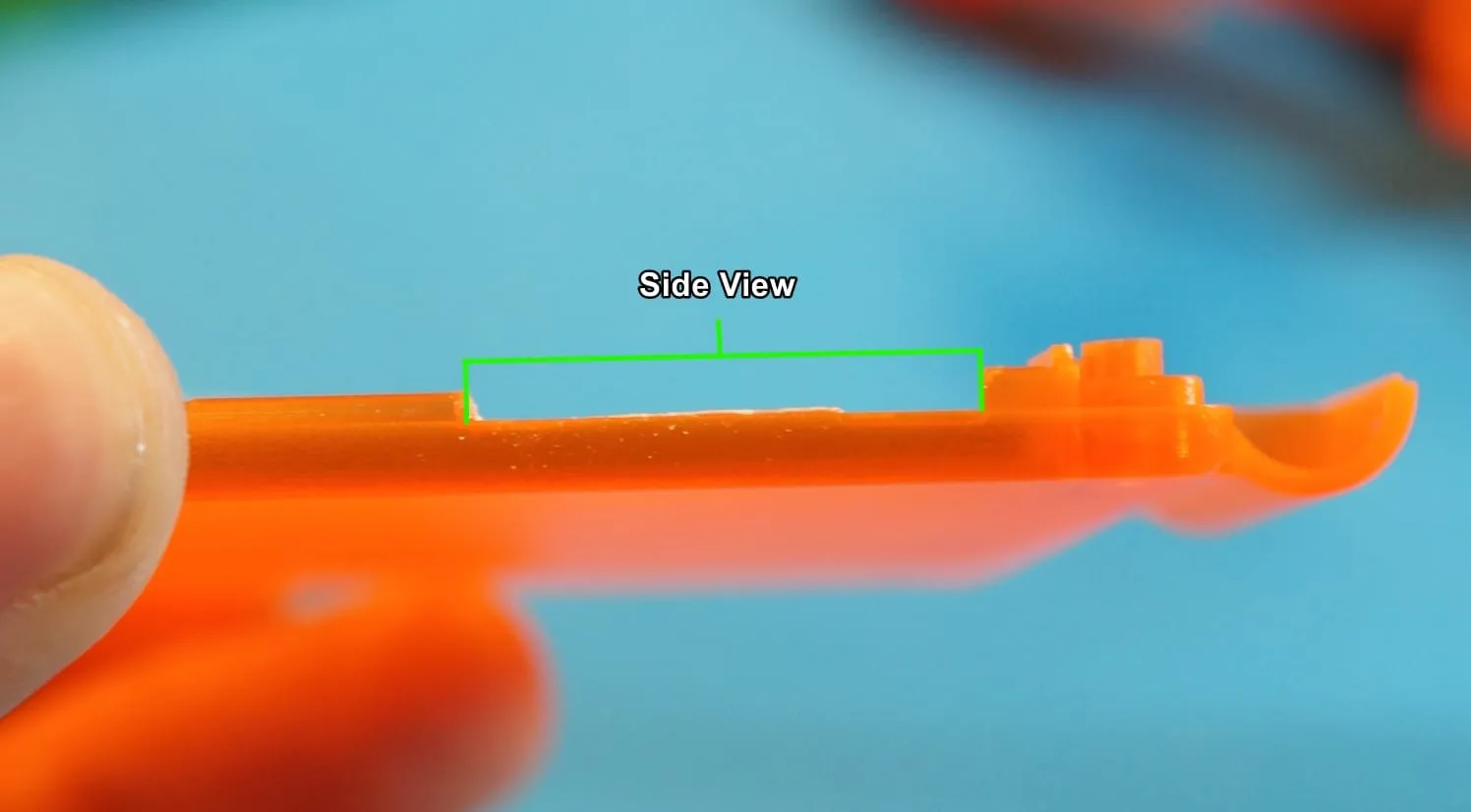
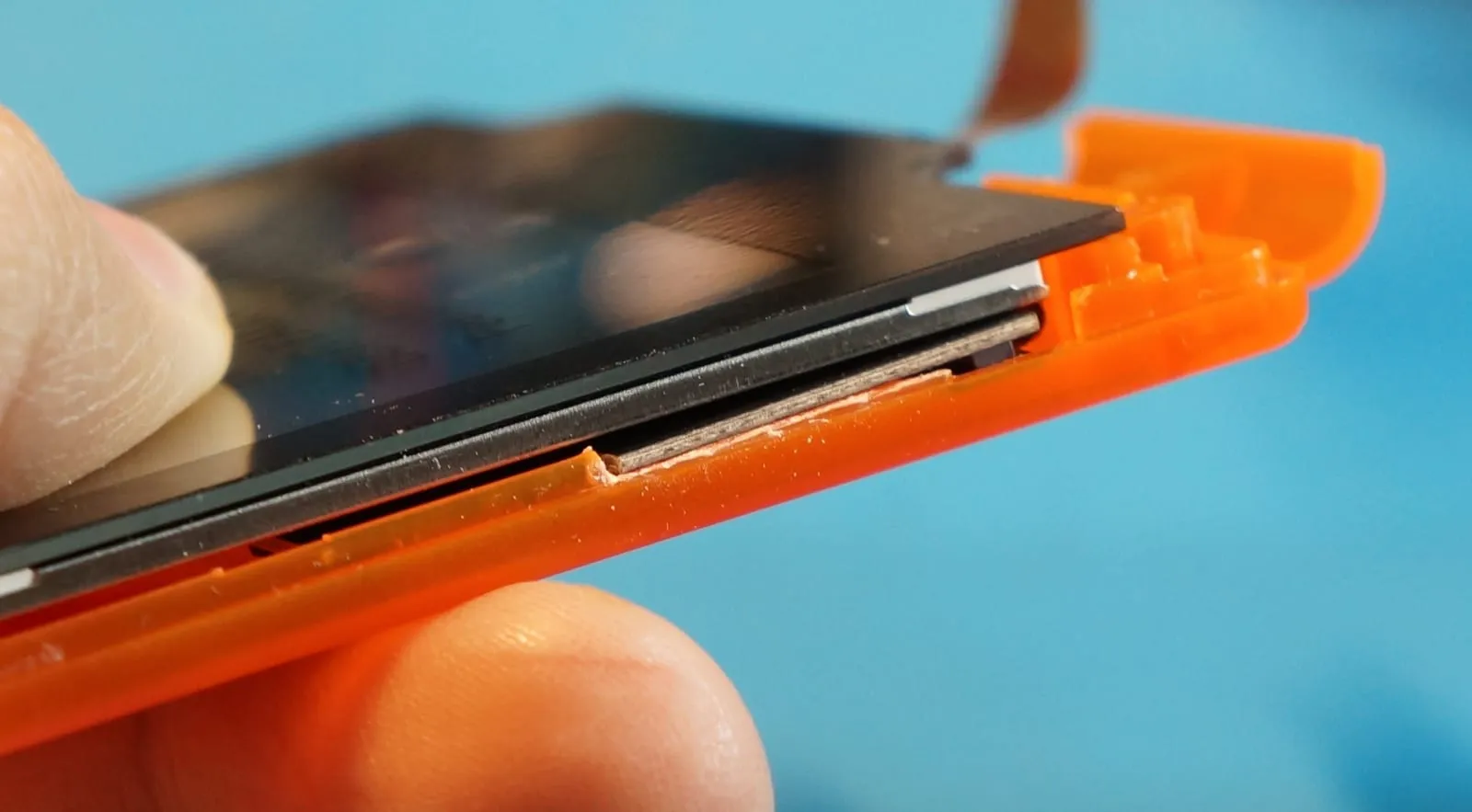
Trimming an OEM or aftermarket shell
Section titled “Trimming an OEM or aftermarket shell”This trim works for all existing IPS kits on the market.