
[GBC] Q5 Laminated IPS by Hispeedido
The Q5 XL Laminated Backlight LCD Kit from Hispeedido combines the popular Q5 IPS display with an industrially bonded display glass. Thanks to improved color intensity and higher contrast, you can now enjoy your GBC games in top quality and with more vivid colors. The laminated design makes installation extremely easy.
Foreword
Section titled “Foreword”- Always do a function test , BEFORE you install the IPS kit! Kits that have already been installed cannot be returned under warranty. You can see how to test the kit externally here: How do I test the LCD
- The LCD is very fragile and sensitive to pressure, impacts, etc. Please be especially careful when handling the LCD during installation
Preparation
Section titled “Preparation”The kit includes the following components
To open the shell you need
You can find suitable tool kits here
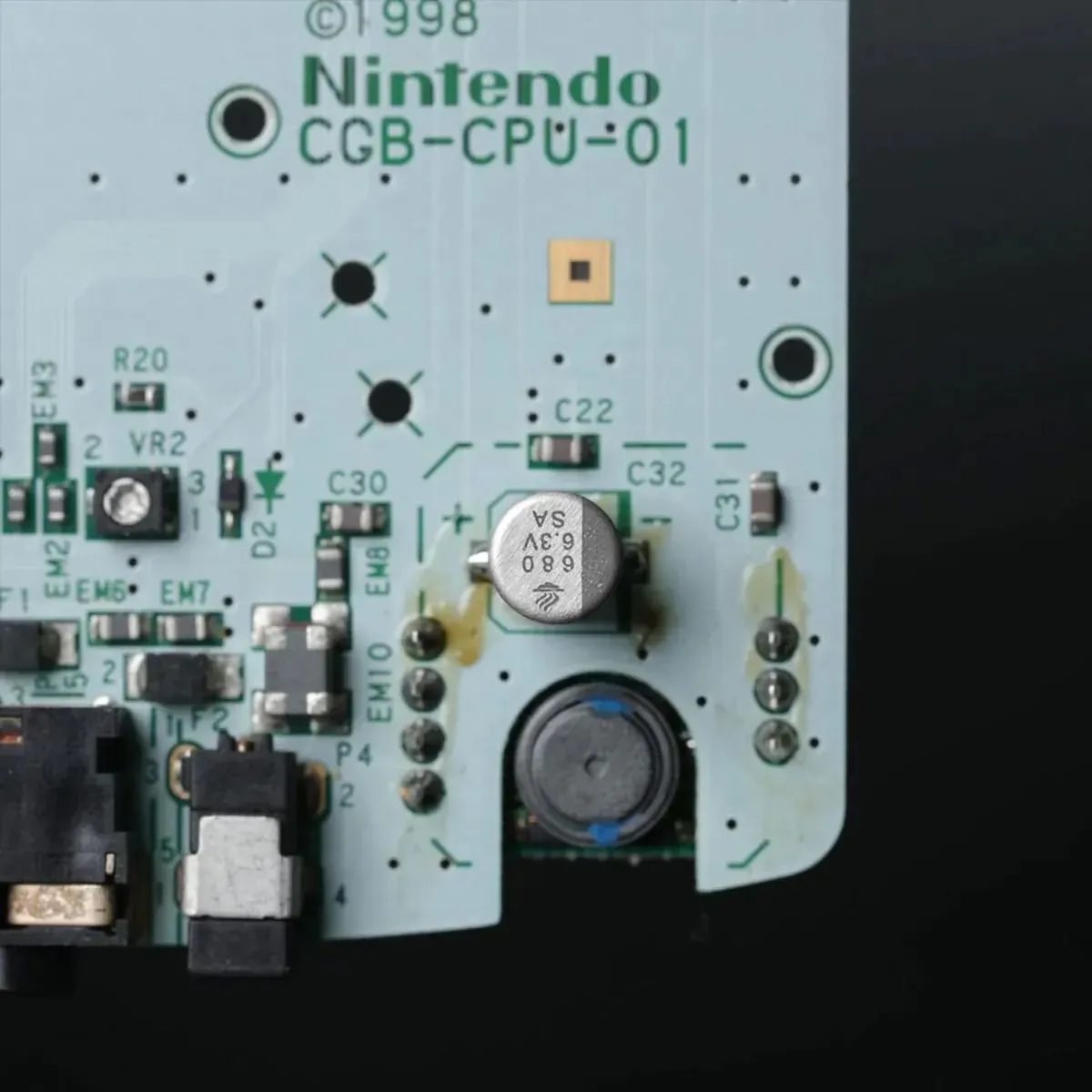
For an LCD mod, the 100uF capacitor should be replaced with a 680uF capacitor to reduce noise.
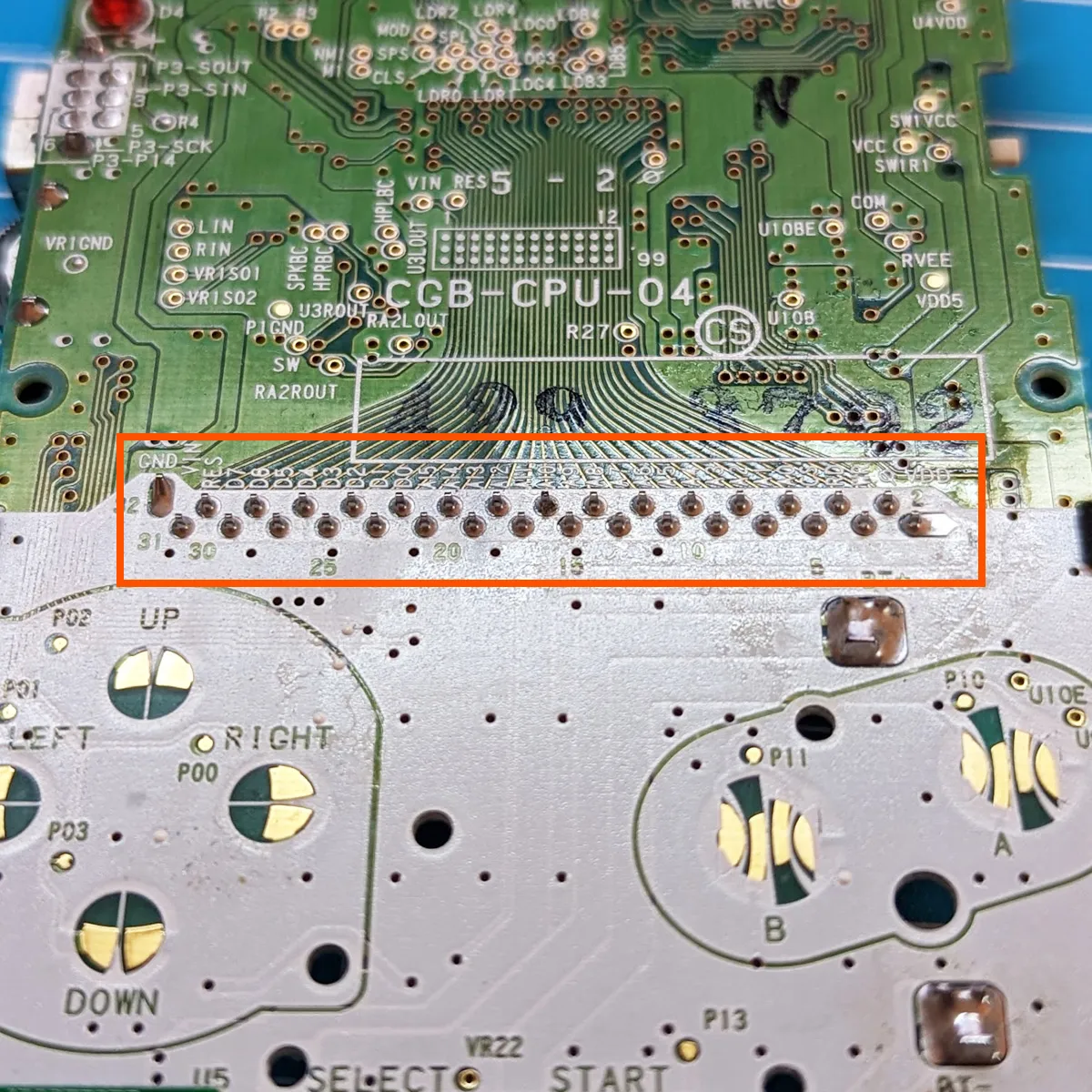
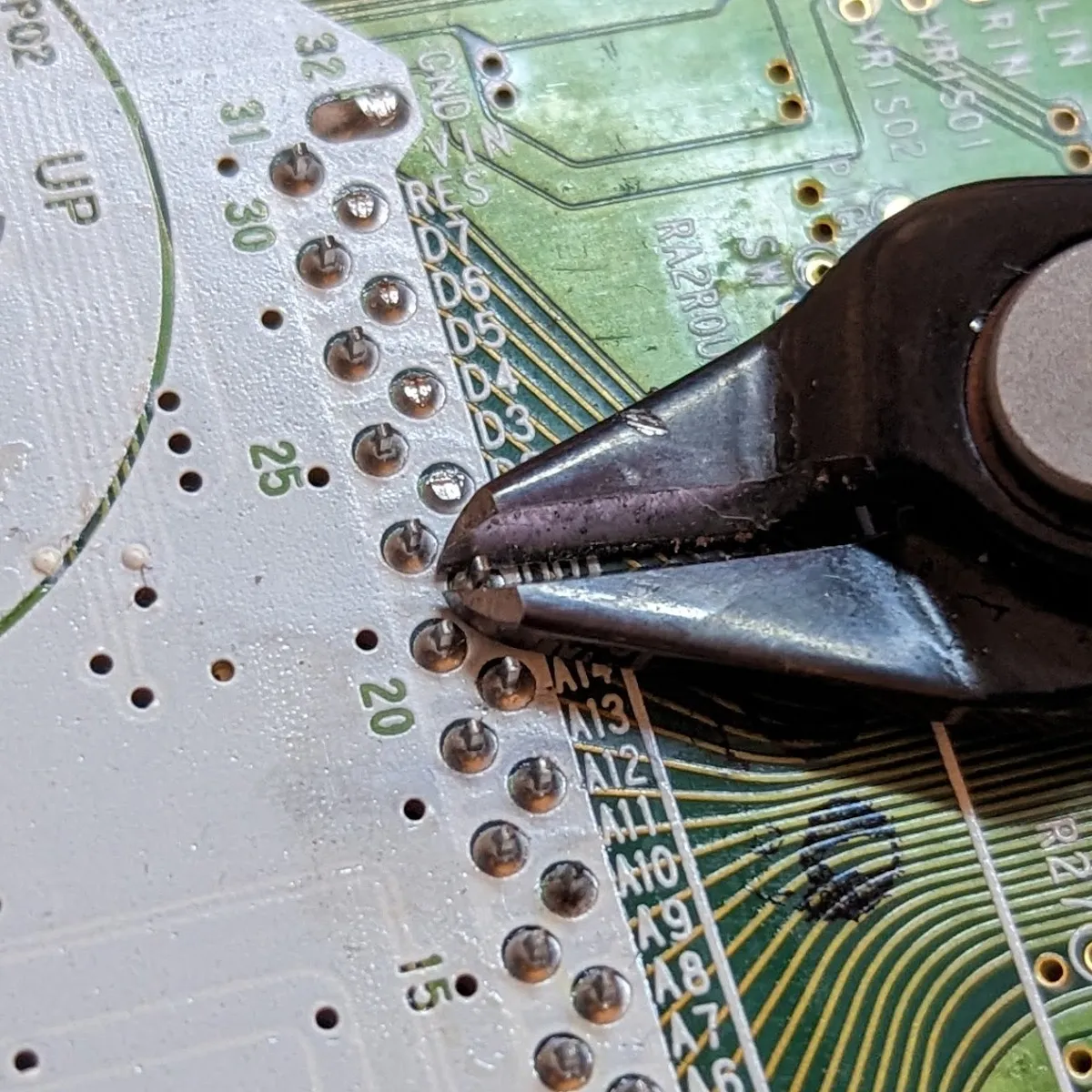
The pins of the cartridge port can put pressure on the LCD, which can cause permanent damage. That’s why the pins have to be trimmed as short as possible with flush cutters. Watch out for flying pieces and protect your eyes!
Preparing the shell
Section titled “Preparing the shell”With the compatible shells from Hispeedido you simply drop the LCD in (drop-in). It is possible to use the kit with other shells, but that requires extensive modifications. You can find the shell trim guide here: [GBC] Trimming the shell. Note: RetroSix shells are usually not suitable.
Installation
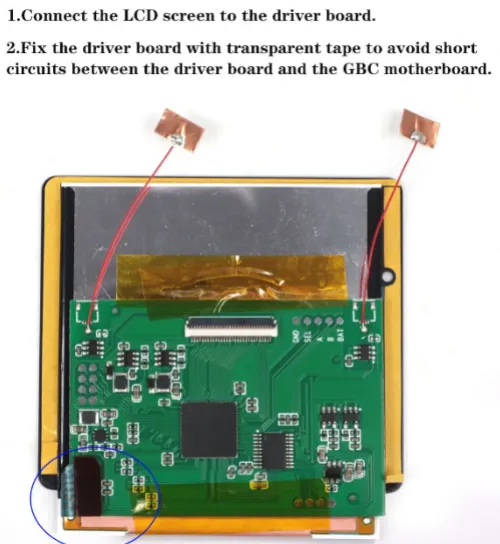
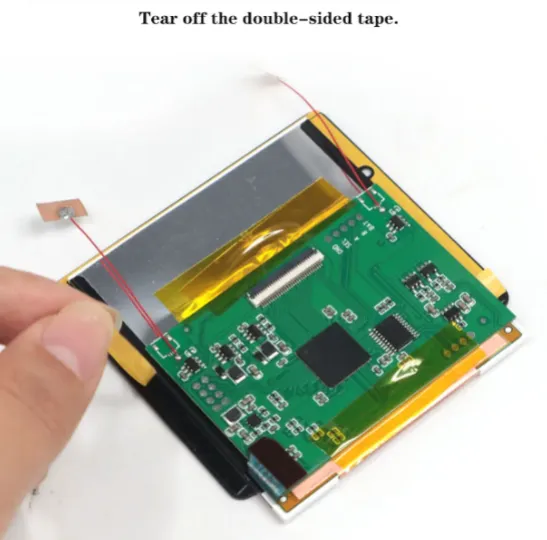
Section titled “Installation”Connect the LCD and secure the PCB to the LCD with the adhesive tape
Peel the backing off the adhesive areas
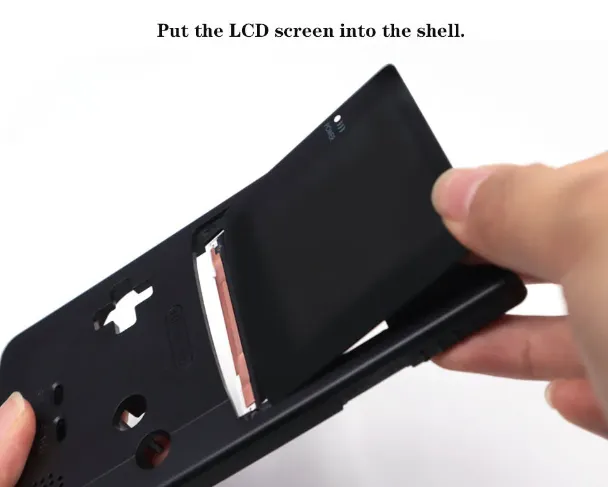
Insert the LCD (Careful! Make sure you don’t break the LCD by levering it!)
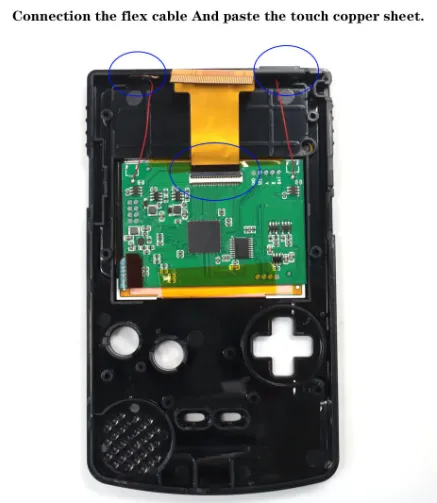
Stick on the touch sensors and connect the ribbon cable
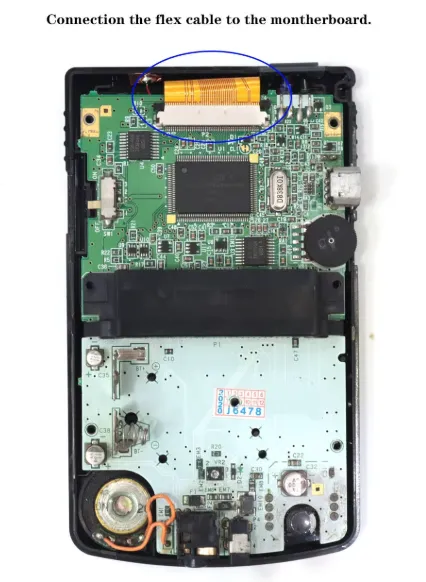
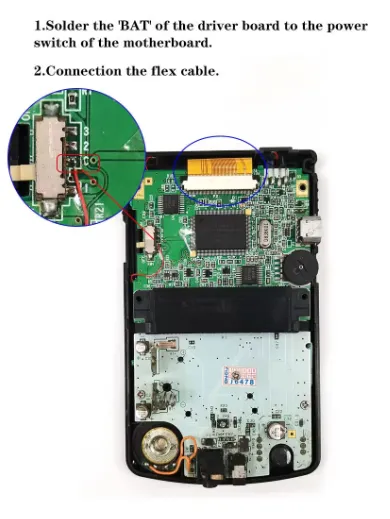
Connect the ribbon cable to the Game Boy Color mainboard
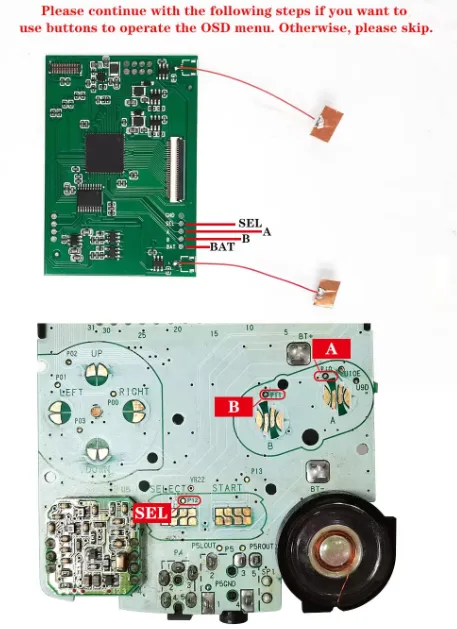
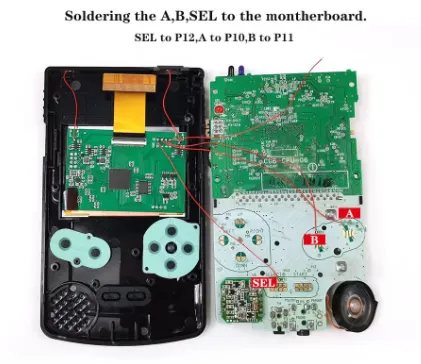
Optional: Solder the included wires for button control
You can find the Hispeedido Q5 Laminated IPS Kit here: https://www.silentmodding.com/de/hispeedido-new-q5-xl-laminated-ips-kit-fur-game-boy-color.html