[GBC] RS CleanAmp Universal
The CleanAmp replaces the original audio board with a modern and much louder Class-D amplifier. It can be used universally in all handheld consoles of the Nintendo Game Boy series.
Installation
Section titled “Installation”Always start by checking whether the sound works at all. The most common cause of missing sound is a defective speaker.
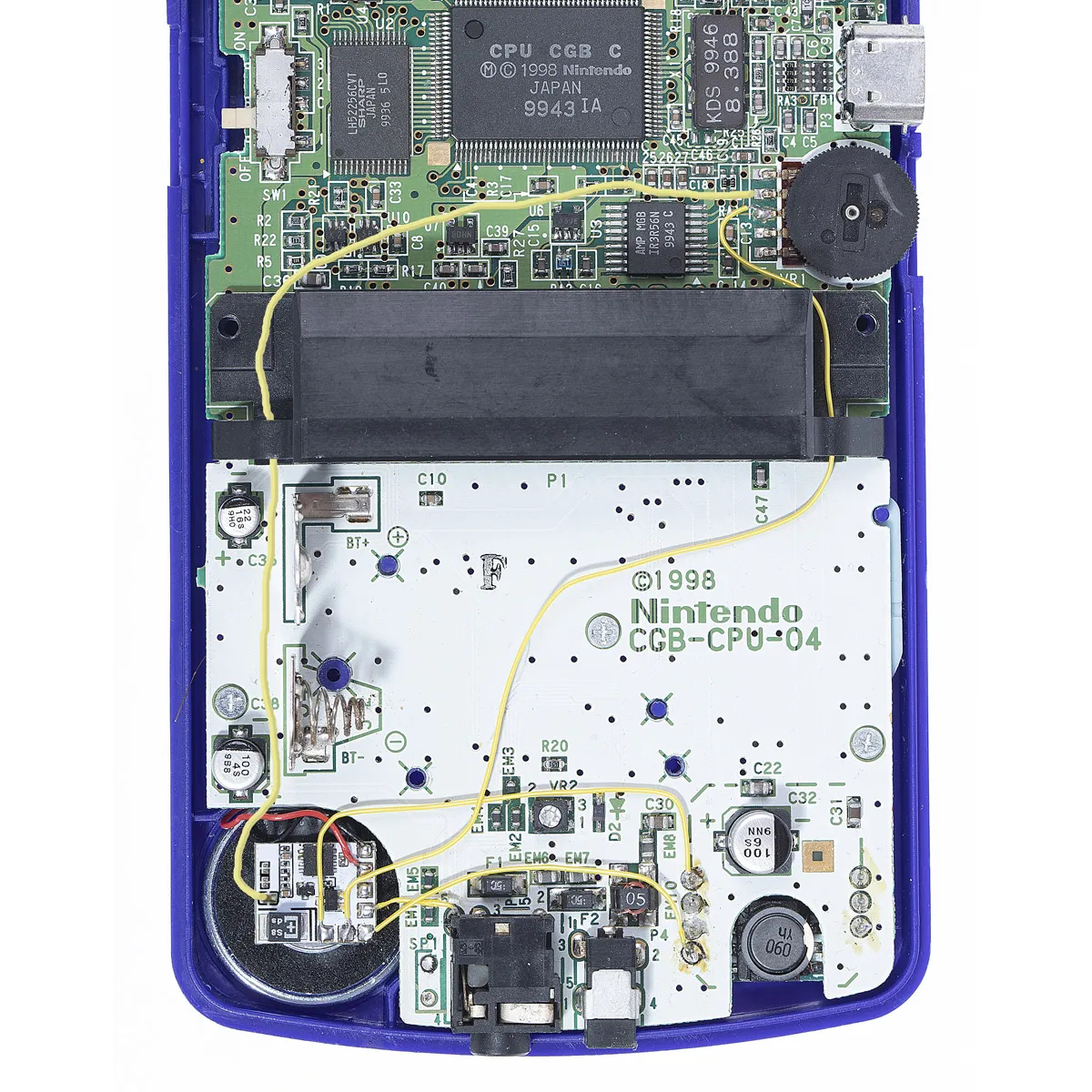
The best spot to install the CleanAmp amplifier in the Game Boy Color is on the back of the speaker. Optionally, you can fix the board in place with some double-sided tape.
The wiring is done with simple AWG28-30 wire, but pretty much any insulated wire can be used as long as it isn’t too thick and doesn’t block parts during reassembly.
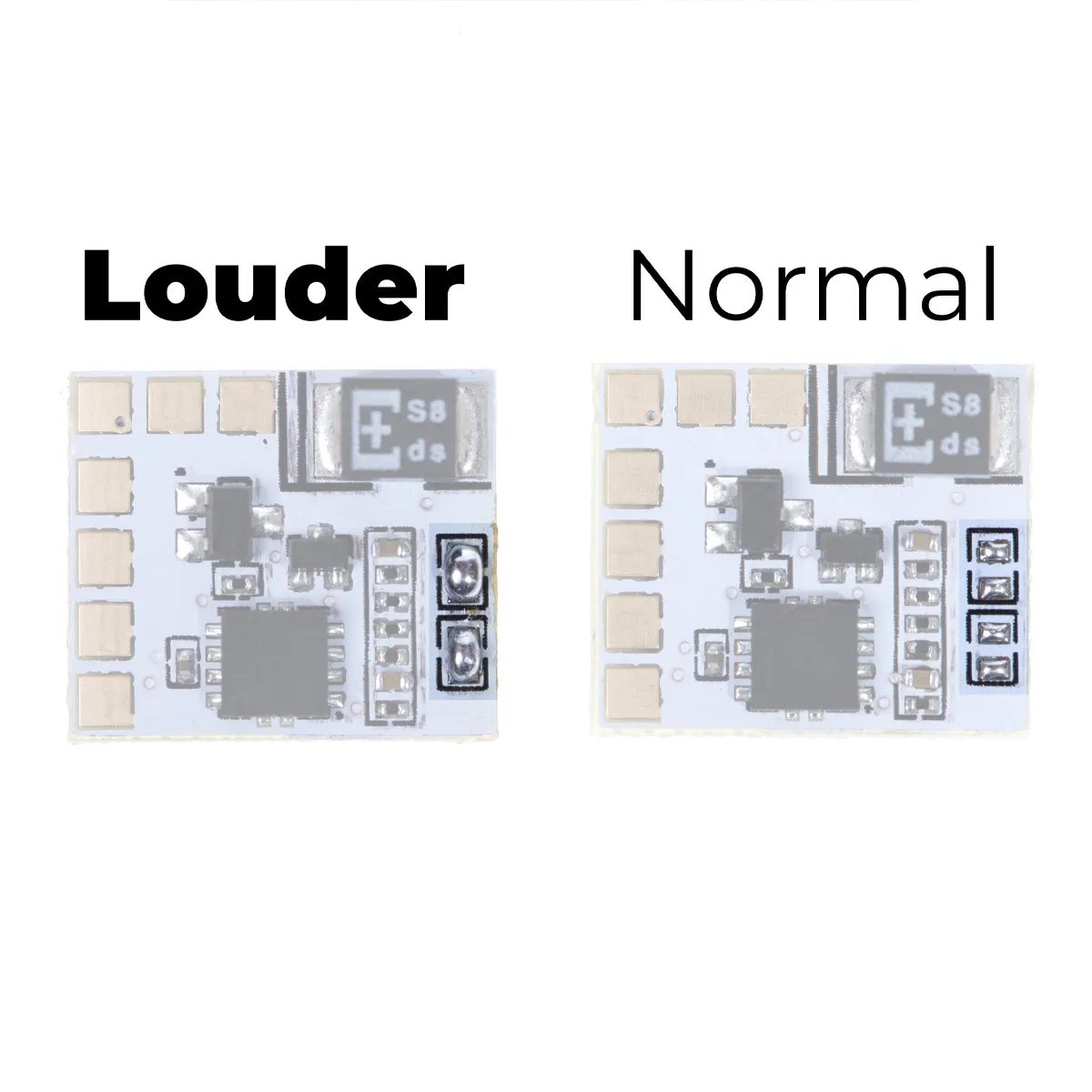
To make the sound even louder, you can bridge the jumpers on the right side of the CleanAmp board. This modification can easily be undone to restore the original volume.
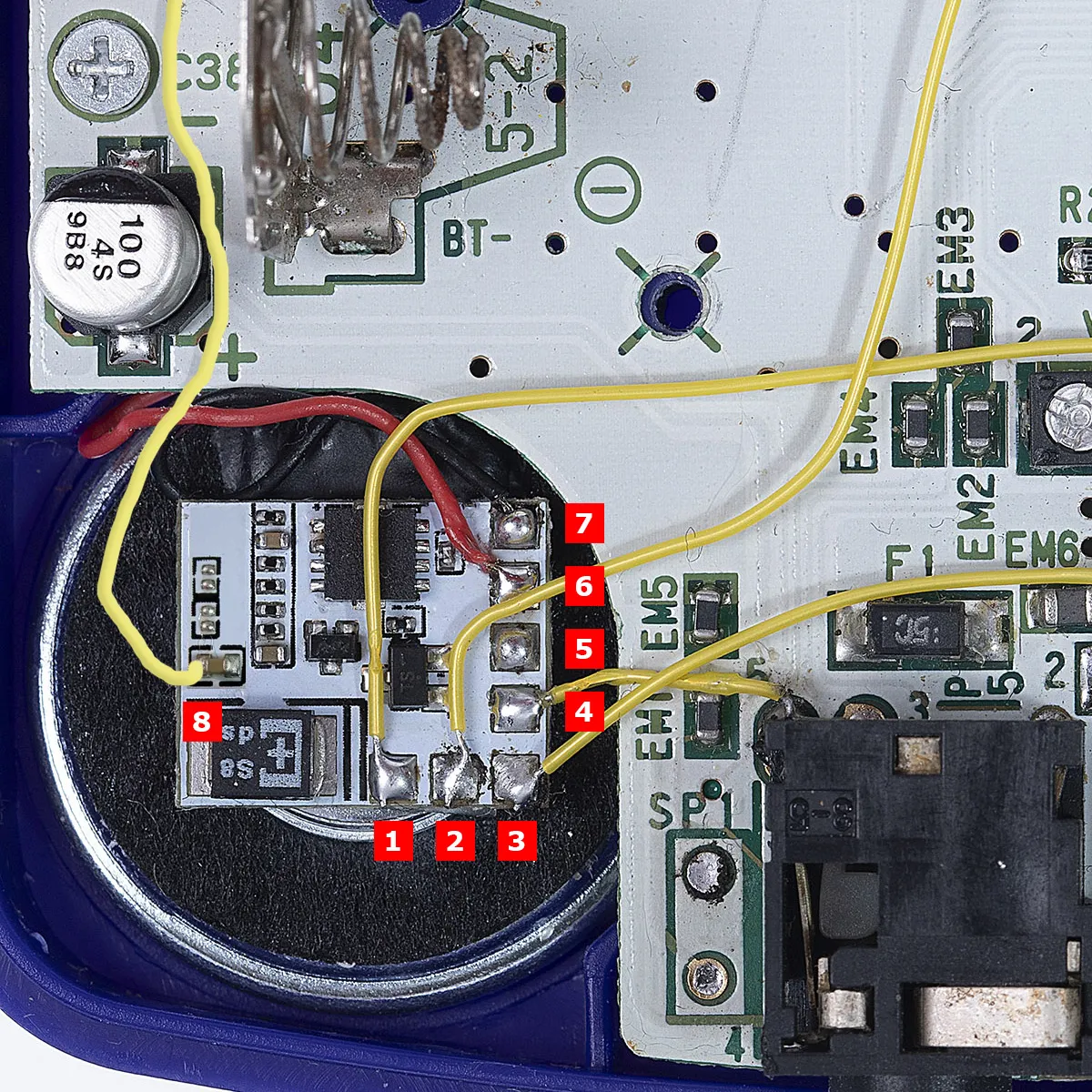
- Pin 1 is 5V
- Pin 2 is the unamplified audio input, which is connected to the middle pin of the volume control
- Pin 3 is ground / GND
- Pin 4 is connected to the headphone jack and disables the CleanAmp as soon as headphones are plugged in. Without headphones, pin 4 must be at GND
- Pin 5 is not used
- Pin 6 and pin 7 are the speaker connections; polarity doesn’t matter
- Pin 8 goes to the capacitor and is connected to pin 4 of the volume control
Note: Along with the sound, background noise and interference are amplified too, which is why it makes sense to install a 680uF capacitor. Additionally installing a stronger voltage regulator like the CleanPower Board makes sense if you plan to use several mods or if the OEM voltage regulator is already showing weaknesses.